Growth starts
with a little, every day.
Journal, note your mood, tick off your habits one by one. What’s hard alone gets easier with people beside you.
Already a member? Get the app
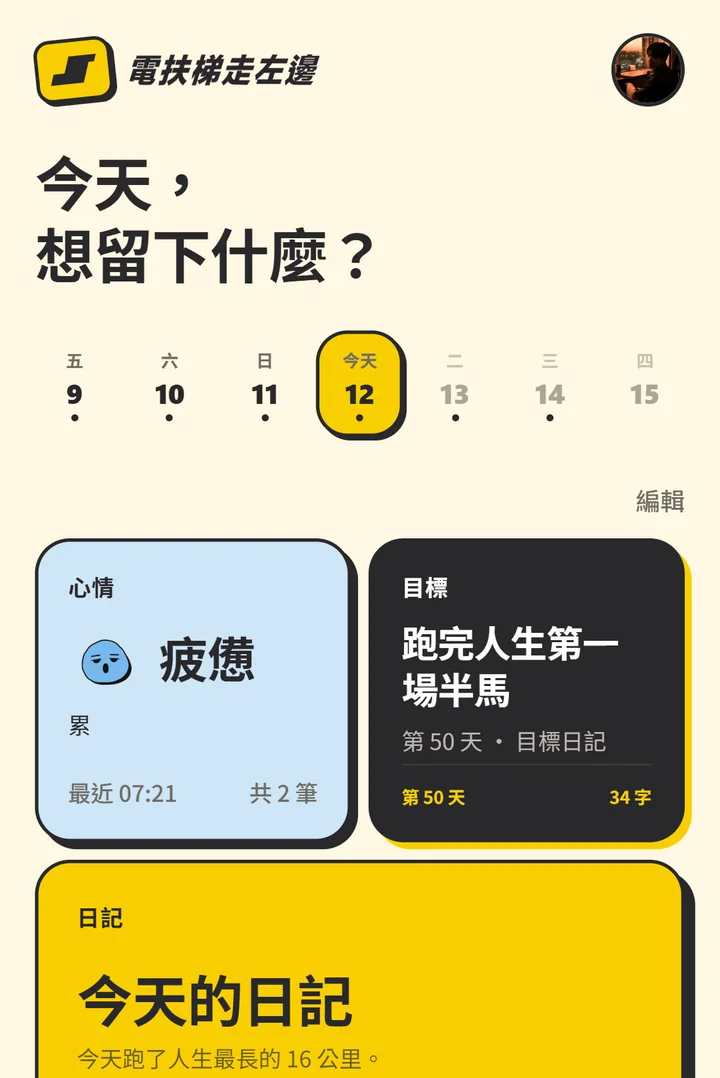
You made up
your mind. Now what?
Turn what you want to do into what you do.
「Be your best self. Be better, together.」
Write a little each day.
See yourself, slowly.
A small moment, a thought that finally clicked — they’re worth keeping. It doesn’t have to be good. Written down, it counts.
What I want to keep from today
Up at 6:30, ten minutes of meditation first.
Ran 6 km by the river after work — one step closer to December’s half marathon.
Saved
What do you want to keep from today?
Happy, anxious, worn out —
all part of today.
One tap logs how you feel right now; add a line if you want to say more. Look back after a while and you’ll know yourself a little better.
Today · 0 entries
How are you feeling?
One tap logs it
Drag them, tap them

Goal · day 51Edit goal
Run my first half marathon
95 km to go89 km to go
Finish line: the Taipei Marathon half on Dec 14 — just finish
NextThis stretch: run Wednesdays, long run SaturdaysSaturday riverside long run, 18 km
Weekly review
- Best month (Oct)
- 8.6↑ 3.4
- Last four
- 8.4↑ 3.2
1 mo3 mo6 moAll
Week of Sep 19 · 8.5“Calm most of the time”
Move a goal forward,
look back once a week.
A first half marathon? Twelve books this year? Put the goal in, write down the next step, and log a little progress each day. At the weekend, see how far you came — then take the next step.
Write your vision for next year.
Look back when it ends.
Pick a word for the year and a few things you want to get done — you can start in three minutes. Each month the app gathers the days you recorded into a letter, “My month”; at the end of the year, look back at how far you came.
Vision2027
Find my footing
- 1Run my first full marathonMilestone: a 30 km run in March
- 2Read 24 booksFirst step: 20 minutes before bed
- 3Give a talk in EnglishMilestone: share in English at book club in June
2026
- Happy4×
 Motivated4×
 Uplifted4×
Wrote on 27 days · 31 moods
— Max電扶梯走左邊
Alone you go fast.
Together you go far.
Early mornings, reading, a workout — tick it off when it’s done. Seeing everyone else check in makes tomorrow’s alarm easier.
Chat, match and meet up
with other members.
「There are no strangers here, only friends you haven’t met yet.」
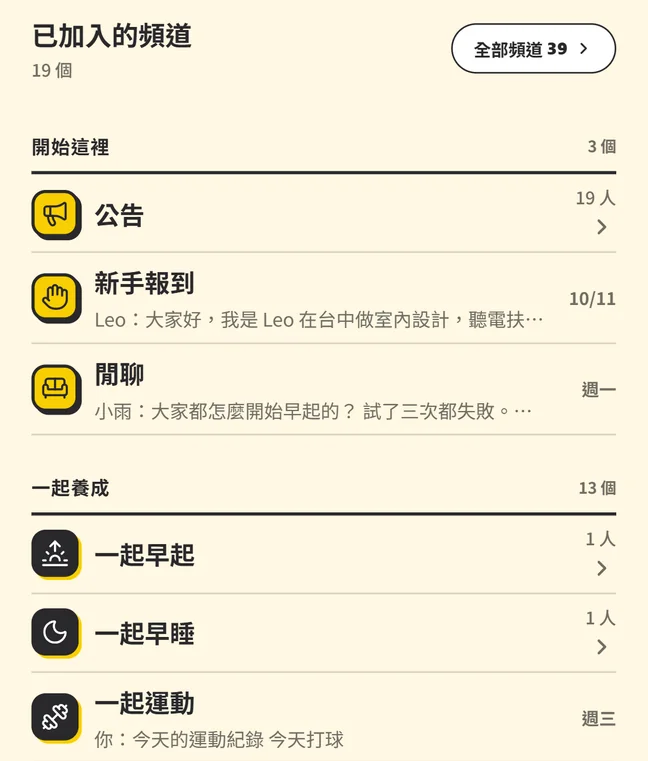
ChannelsFind people to talk to about what you care about, share updates, cheer each other on. People keeping the same habit meet in channels like “Early risers” and “Readers”.

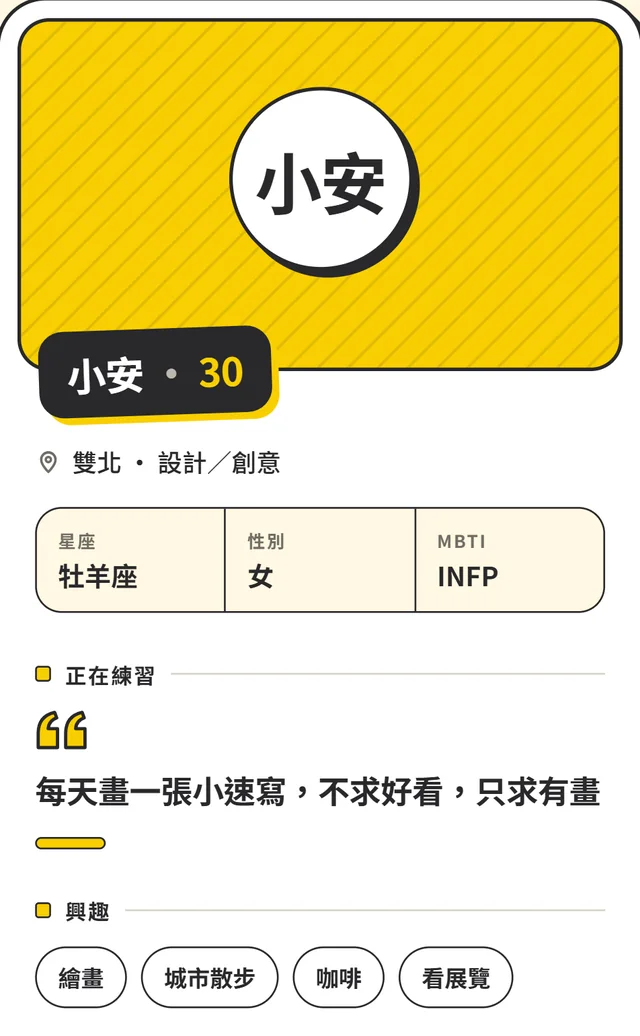
MatchSee who you meet today, and get to know someone through what they’re practising. If you click, say hello and add them as a friend.
- When
- Sat, Oct 24 · 14:00–16:00
- Where
- Near Zhongshan Station, Taipei
- Sign-ups
- 0 / 10 · 10 spots left
- Host
- 若晴
About this eventTwo hours, each writing our own thing. In the last half hour, whoever wants to can share.
You’re signed upSat, Oct 24 · 14:00–16:00
Add to calendarEventsMeet-ups big and small, run by members. Sign up, add it to your calendar, and say hi in the event’s group chat before you go.
Want company on the way?
Start with a membership.
Become a member
A paid 電扶梯走左邊 subscription on Firstory gives you the membership you need to use the app.
Subscribe on FirstoryDownload the app for free
Coming soon to iPhone and Android. Until then, you can use the web version.
Download on theApp StoreGet it onGoogle PlaySign in with the same email
We’ll send a 6-digit code to the email you subscribed with, so there’s no extra password to remember.
Your journal is private
by default.
- No ad tracking and no third-party analytics.
- We never sell what you write, and never use it to train any model.
- Photo location is removed before upload.
- You decide, one by one, what shows on your matching card.
- When you want to leave, delete your account in the app; your journals, moods and photos go with it.
Questions
What is the 電扶梯走左邊 Community app?
It’s a journal and habit app for growing as a person, and a members’ community. Keep a journal, log your mood, work toward goals, build habits and write down your vision for the year, and chat with other members in channels, get matched with new people and sign up for events. It’s made by the team behind the podcast 電扶梯走左邊 with Jacky.
Do I have to listen to the podcast?
No. The app is for anyone working on growing as a person, whether or not you’ve heard the show; any current member can sign in.
Does the app cost anything?
The app is free to download. A 電扶梯走左邊 membership unlocks it; membership is handled by the podcast’s membership platform, and the app never sees your payment details.
Can I use it without a membership?
No. The app is members-only: only current members can sign in. Anyone can join — subscribe to the 電扶梯走左邊 membership on Firstory, then sign in with the email you subscribed with.
Is there an iPhone or Android app?
Both are coming soon. Until then, use the web version: open lse-community-app.vercel.app in a browser on your phone or computer and sign in with your member email.
How do I sign in? Is there a password?
No password. Enter the email you subscribed with and we send a 6-digit code; enter it within 10 minutes.
Who can see what I write?
Your journals, moods, goal journals, weekly reviews and year reviews are yours alone. Posts you share to a channel are seen by its members; messages only by the people in the conversation; when you complete a habit, people in that habit’s channel see that you checked in. Your name and photo always show on your matching card; whether your year vision, city, job and the rest show is up to you, one by one, in Settings → What others can see.
Can I add friends?
Yes. Enter someone’s friend code in Messages → Friends → Add friend, or tap “Add friend” when you meet someone you get along with in a channel. Who can add you is your choice too, under Settings → Who can add me.
If my membership ends, do I lose what I wrote?
No. Once your membership ends you can’t sign in with a code and community features stop, but what you wrote isn’t deleted because of that. If your membership comes back, sign in with the same email and it’s all still there. To delete it, delete your account yourself while signed in.
How old do I need to be?
You need to be 18 or older. When you sign in, the app asks you to confirm that you are.
Can I delete my data?
Yes. In the app, open Me → Settings → Account → Delete account. No need to email anyone.
What do you want
to keep from today?
Open the app and write today’s first line.